The wall sticker you want doesn’t need to exist yet.
Describe your idea in normal words. Tell us what matters to you. Peel’s Creative Designer helps turn those words into a wall sticker design you can preview and refine before you buy. No design skills or finished artwork needed.
What works
What makes a good wall sticker prompt?
To write a good AI image prompt for a custom wall sticker, describe what you want to see, any words it should include, the style and colours you like, and where it will go. One or two natural sentences are plenty. Include only the details that matter to you.
01
What’s in the picture?
Name the main subject and any must-have details. ‘Three baby elephants in a row’ gives a clearer starting point than ‘cute animals’.
02
What should it say?
For a name or quote, put the exact words in quotation marks. Mention important spelling, capitals and punctuation.
03
What’s the look and feel?
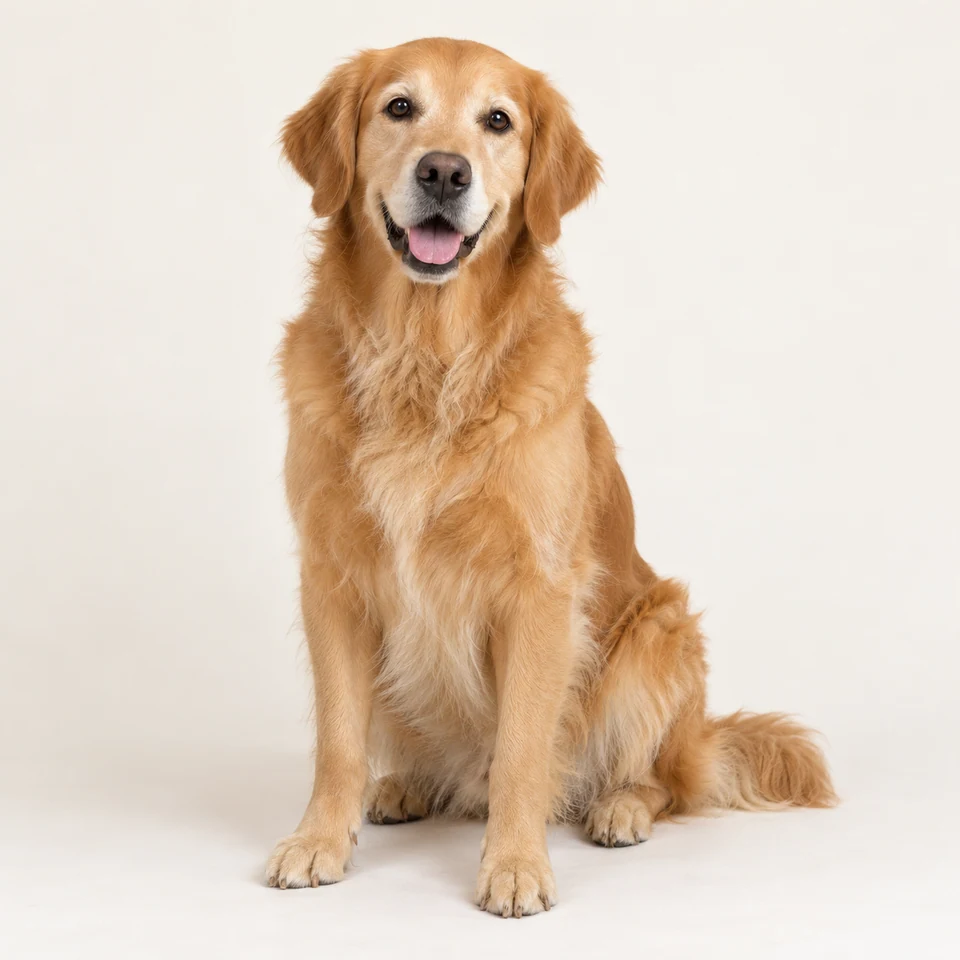
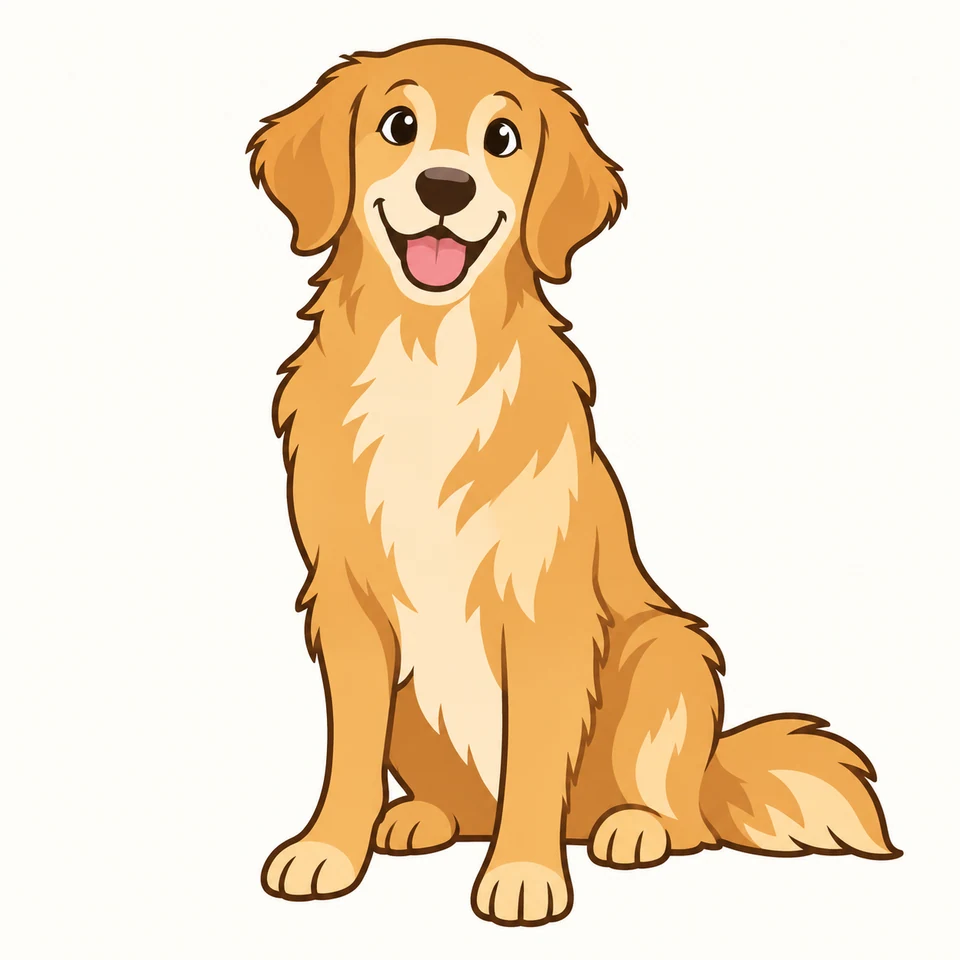
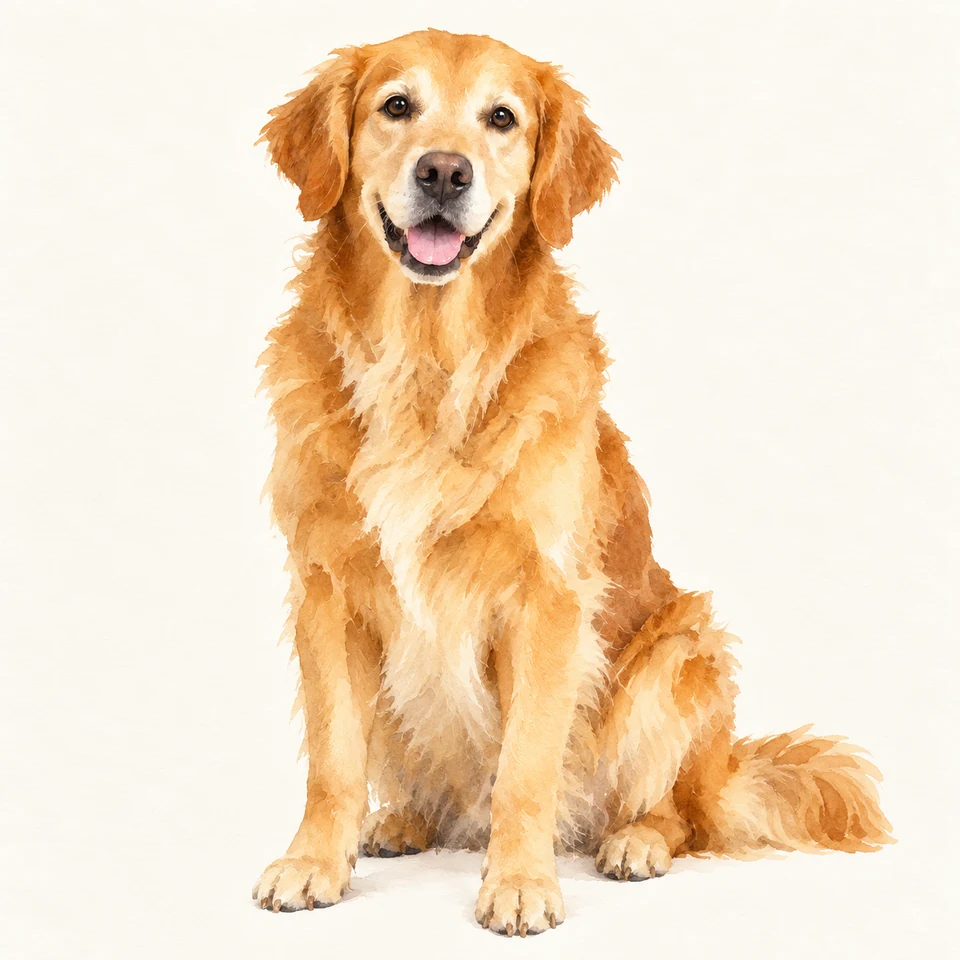
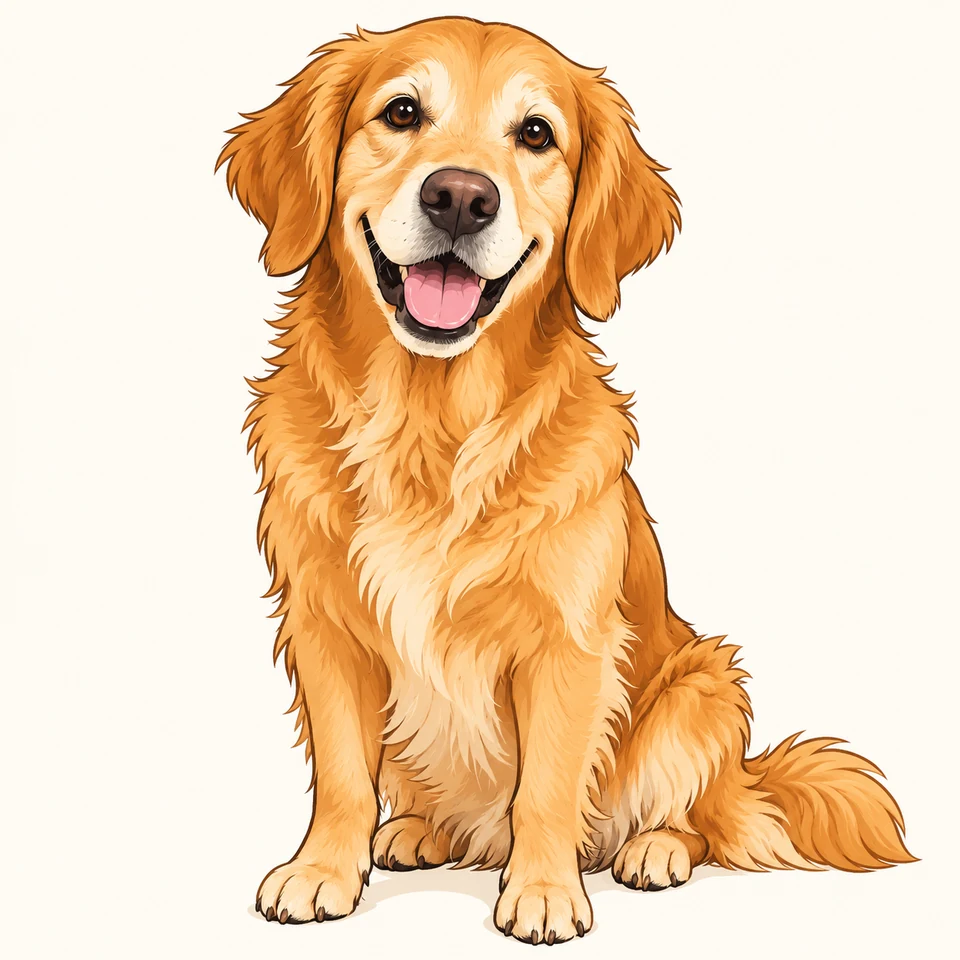
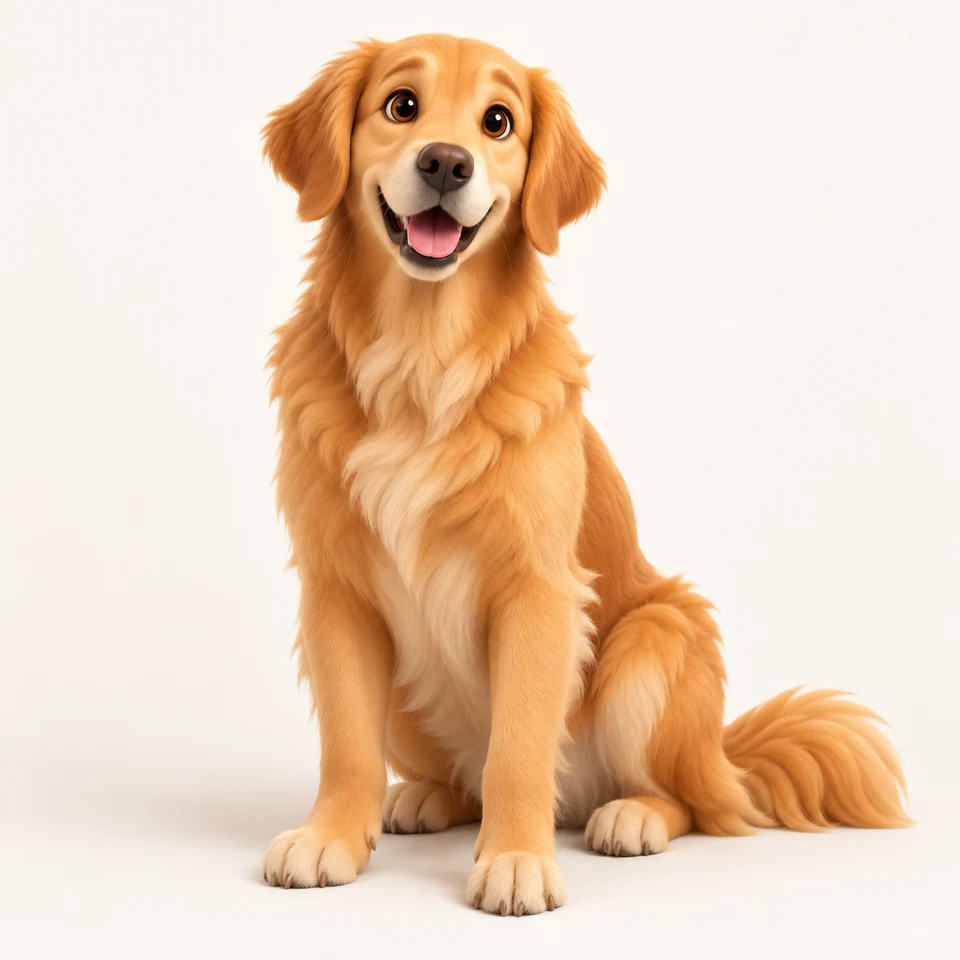
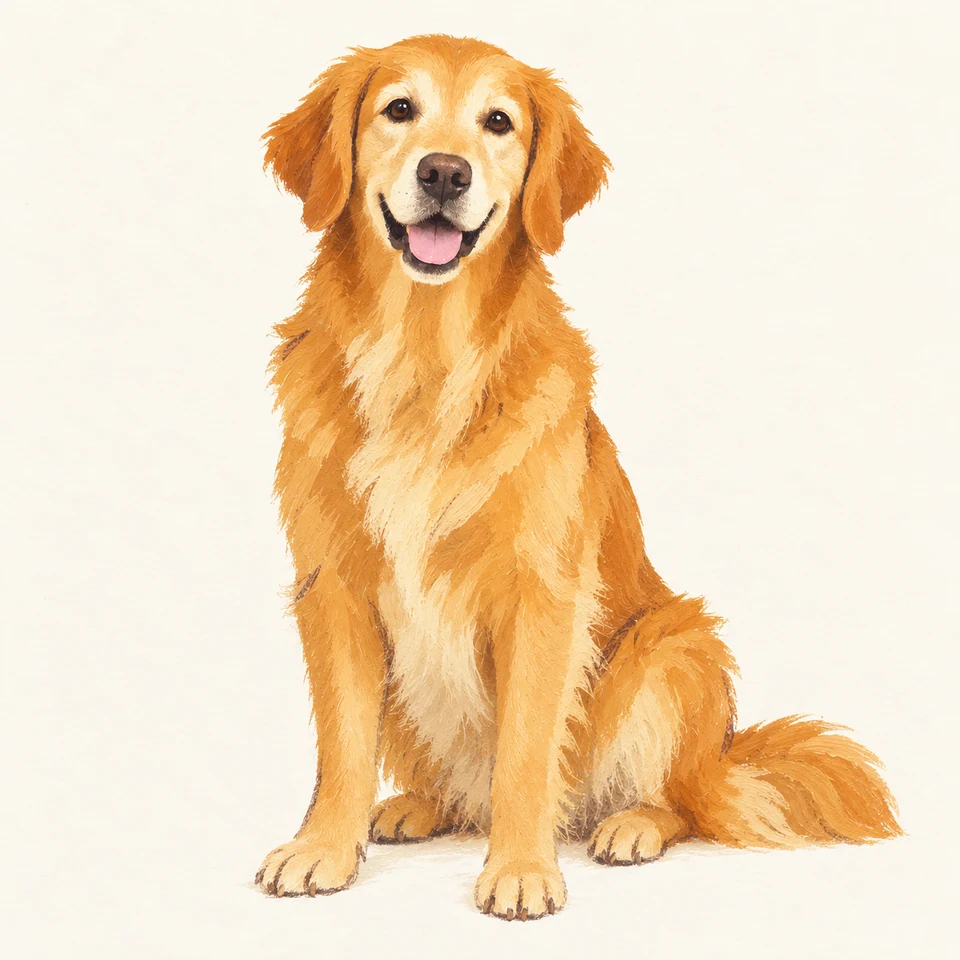
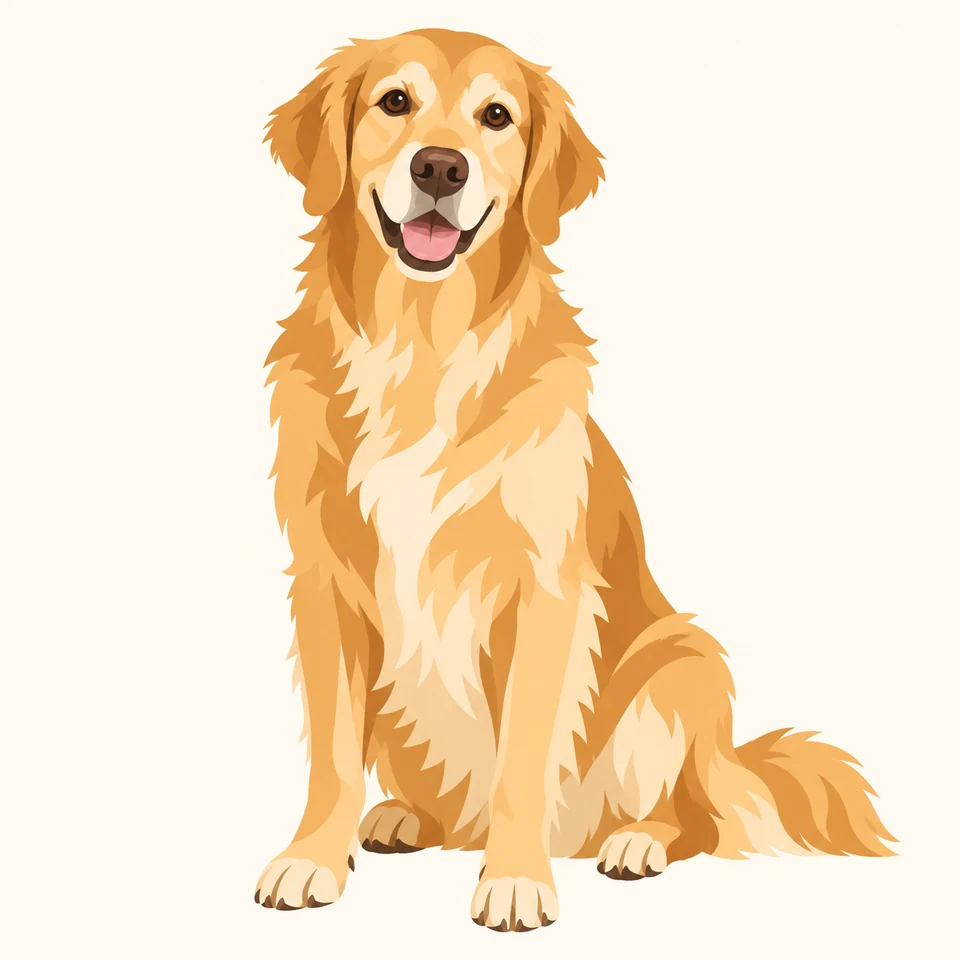
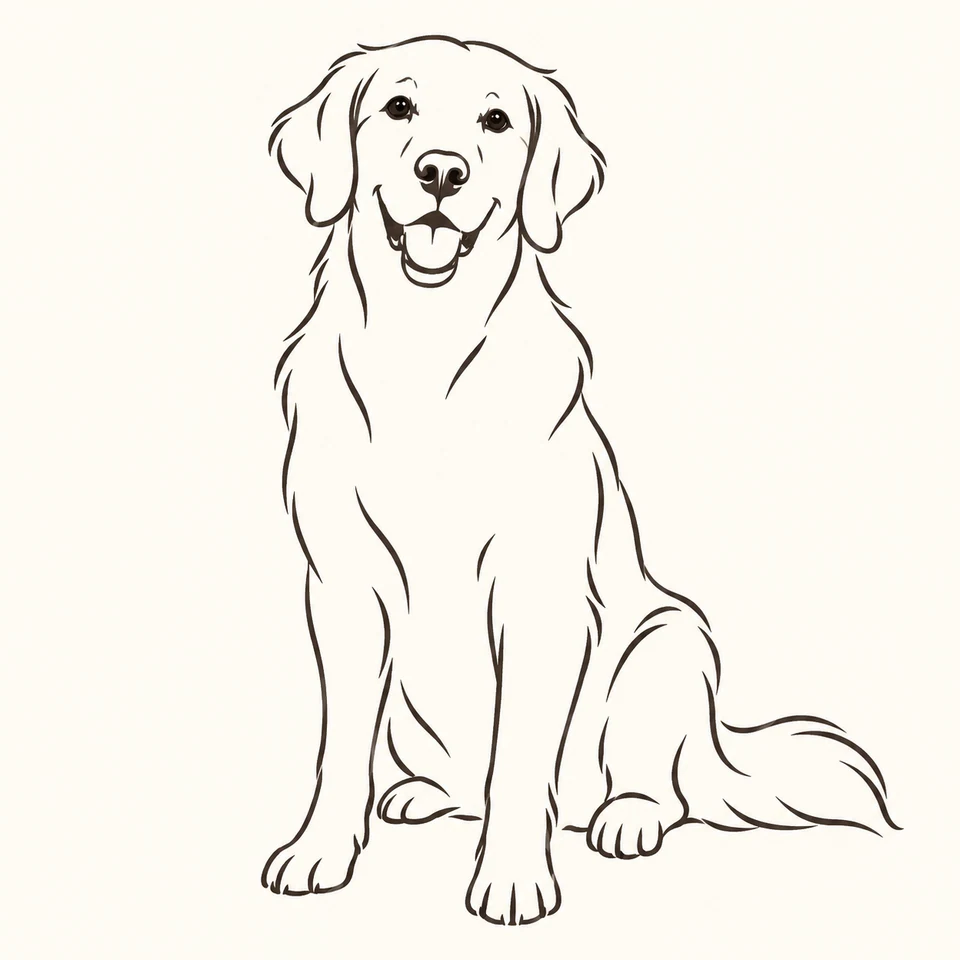
Describe the style you want, such as soft watercolour, hand-drawn 2D cartoon or a 3D animated character. Compare the same photo in different styles below and use the words under your favourite.
04
Which colours?
Give a few colours or a palette that fits the room, like dusty blue with warm sand and sage.
05
Where will it live?
Tell us the room and the shape of the space: a wide design above a cot or a tall sticker for a reading corner.
Find the look you love
Same photo. Eight different looks.
Peel can generate your sticker in any style, just use descriptions like these in your prompt. If you are starting from a photo, attach it and describe the effect you want
Original reference photo
Start with a clear photo of your own subject.
Classic 2D cartoon
Try:
hand-drawn 2D cartoon, flat colours, simple fur
Soft watercolour
Try:
soft watercolour, gentle washes
Playful caricature
Try:
playful caricature, exaggerated features
3D animated character
Try:
3D animated character, soft shading
Painted storybook
Try:
painted storybook, brush texture
Bold flat illustration
Try:
flat illustration, bold colour blocks
Simple line art
Try:
minimal line art, flowing outlines
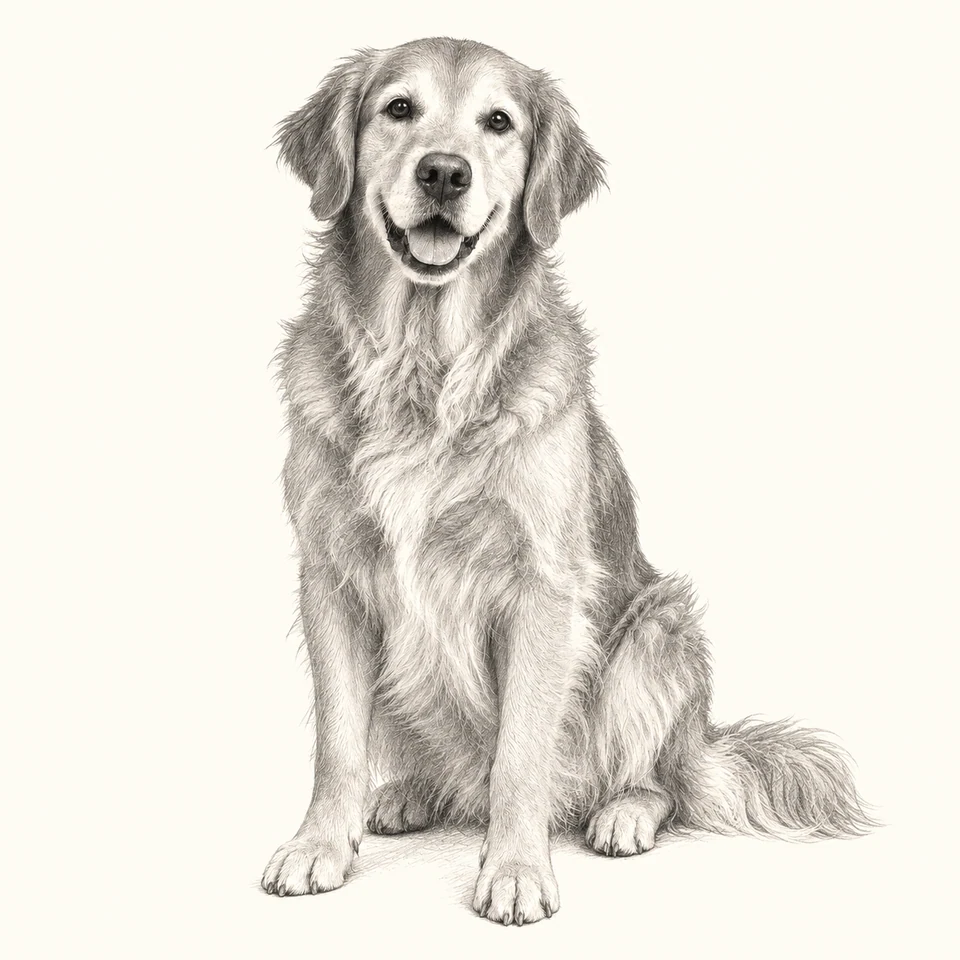
Pencil sketch
Try:
pencil sketch, soft shading
These examples show a visual direction; your design will vary. ‘3D’ describes the artwork’s appearance — your wall sticker is flat printed material.
See the difference
From a little idea to a design that feels yours
A starting thought
“A safari sticker for Bobby’s room”
With a few useful details
The name “Bobby” in large dusty blue lettering, surrounded by a softly painted lion cub, giraffe and elephant in warm sand and sage for his nursery wall.
Both are enough to begin. The second gives Peel the name, animals, colours and room in one sentence, so the first design can feel closer to what you imagined. You can preview it and ask for changes before ordering.
One idea, made for Bobby’s room.
Ideas to make your own
Wall sticker prompt examples
There is no one kind of Peel idea. A name, a favourite animal, a quote, a botanical shape or something entirely your own can be the start. Use an example, then change the details until it sounds like you.
Your idea
The name “Bobby” in large dusty blue lettering, surrounded by softly painted safari animals like a cute lion cub, giraffe and elephant in warm sand, sage and neutrals for his nursery wall
Your idea
A sleepy moon cradling the name “Olivia”, with soft clouds in dusty pink, cream and muted gold, gentle watercolour style for above a nursery cot
Your idea
A cheerful dinosaur astronaut beside the name “Arlo”, in navy, mint and burnt orange, playful storybook style for a playroom wall
Your idea
A wide minimalist olive-branch design in muted sage and warm cream, calm line-art style, for above a living-room sofa
Your idea
“Good Vibes ONLY!” with that exact capitalisation and exclamation mark, chunky retro orange lettering with pink shadows for a creative studio wall
Your idea
A wildflower arch around the name “Florence”, in blush, peach and sage, delicate hand-painted style for above her bedroom reading corner
Your idea
Yellow diggers and construction trucks surrounding the name “Jaxxon” exactly as spelt, bold cartoon style in mustard, navy and teal for a playroom wall
Your idea
Three baby elephants in a row, with the middle elephant holding one yellow balloon, soft grey and cream watercolour style for a nursery wall
Your idea
A red train engine pulling exactly four joined animal carriages, colourful storybook illustration style for a long playroom wall
Your idea
A complete dinosaur alphabet from A to Z, in forest green, ochre and rust, friendly retro illustration style for a playroom learning wall
Your idea
A true rectangular playroom sticker titled “OUR SOLAR SYSTEM”. Show the Sun and all eight planets in order, with the exact labels “Mercury”, “Venus”, “Earth”, “Mars”, “Jupiter”, “Saturn”, “Uranus” and “Neptune”. Use clean flat illustration in muted orange and pale blue on one completely solid, uniform deep-navy panel, with a slim cream rim and straight edges with square corners. Keep everything inside the rectangle. No checkerboard, patchwork, mottling, paper texture or translucent areas in the navy background.
Your idea
The numbers 1 to 10 with the matching number of coloured dots beside each, bright flat-illustration style in blue, orange and green for a playroom wall
Your idea
The words “stay curious.” exactly in lower case with the full stop, relaxed hand-lettering in coral and mustard for a calm home-office wall
Your idea
“YOU ARE” then “BRAVER THAN” then “YOU THINK”, each on its own line, bold modern lettering in navy and peach for a child’s bedroom
Your idea
The words “little moments” in flowing handwritten lettering with exactly two small daisies, in warm cream and sage for above a family photo shelf
Your idea
“The O’Neills • Est. 2026” in elegant serif lettering, framed by olive leaves in forest green and warm cream for an entrance hallway
Your idea
Really wide simple mountains in charcoal line art with warm beige and clay accents, calm minimalist style for above a bedroom headboard
Your idea
A true rectangular home-office wall sticker showing one rocket in crisp white technical blueprint-style linework on a completely solid, uniform cobalt-blue panel. A tall clean poster composition with straight edges, square corners and a slim cream rim. Keep the complete rocket and every line inside the panel. The blue must be smooth and opaque, with no checkerboard, patchwork, mottling, paper texture, see-through areas or background glow. No lettering, numbers, logos or extra rockets.
Your idea
A giant whale swimming through powder-blue and lilac clouds above a tiny village, dreamy storybook-watercolour style for a large bedroom wall
Your idea
A watercolour Highland cow with only a few blush wildflowers, warm earthy browns and a clean natural outline for a country-style hallway
Your idea
A stained-glass hummingbird in teal, coral and warm gold, with the coloured sections fully joined, elegant art-glass style for a conservatory wall
Your idea
A wide botanical herb plaque labelled “BASIL”, “THYME” and “ROSEMARY” beneath the correct plants, in olive green and cream for a kitchen wall
Your idea
A coffee-corner plaque saying “Maxwell Morning Club”, vintage café style in espresso brown, rust and cream for the wall above a coffee machine
Your idea
“Wash, dry, repeat” in cheerful retro lettering with simple bubbles, powder blue and coral colours for a utility-room door
Your idea
A neon-style original game controller inside a solid dark-purple badge saying “Leo’s Level”, in electric blue and violet for above a gaming desk. Make up a simple generic controller shape with four plain round buttons and no symbols, letters, logos or recognisable console branding. Keep the exact wording “Leo’s Level” large and readable.
Your idea
Create a personalised door sticker with the exact words “Simba’s room”. Show a friendly golden retriever peeking over a rounded name plaque, with both front paws resting on its edge. Use warm golden fur, forest green lettering and cream details in a charming storybook illustration style. Keep the wording large and easy to read, with everything joined into one compact design.
Your idea
Create a wide, rounded rectangular sticker for a dog food storage container, with the exact words “Inca’s Food”. Place a cheerful black Labrador portrait on the left and bold, clear lettering on the right. Use mustard yellow, charcoal and cream in a clean, vintage pet-shop illustration style. Include one small bone detail and keep the design uncluttered.
Your idea
Create a personalised hallway sticker with the exact words “Poppy’s Walkies”. Feature a lively red dachshund carrying a loosely looped teal lead, beside playful rounded lettering. Use terracotta, teal and warm cream in a bold, flat illustration style. Arrange everything as one wide design for the wall above a row of dog-lead hooks.
Your idea
Create a cosy wall sticker with the exact words “Teddy’s Snooze Spot”. Show a fluffy apricot cockapoo curled up asleep beneath a gentle arch, with three small stars integrated into the design. Use soft watercolour textures in warm biscuit, dusty blue and cream. Make the lettering relaxed and readable, with a calm bedtime feel.
Your idea
Create a gentle pet remembrance wall sticker with the exact words “Bailey, always with us”. Feature a dignified black-and-white border collie sitting beside a small curved branch of olive leaves. Use a softly painted portrait style, muted sage and warm grey, with simple, elegant lettering. Keep the composition understated, without wings, halos or additional wording.
Your idea
Create a playful portrait wall sticker of a ginger-and-white cat wearing a deep teal explorer’s jacket, sitting proudly inside an ornate oval frame made from illustrated leaves. Add the exact words “Her Majesty Mabel” on an integrated ribbon beneath her. Use rich terracotta, teal and muted gold in a detailed storybook style, with a wonderfully self-important expression.
Your idea
Create a personalised wall sticker with the exact words “Pip’s Patch”. Show a soft grey lop-eared rabbit nestled beside two carrots and a little cluster of meadow flowers. Use delicate coloured-pencil textures, sage green, muted peach and warm cream. Arrange the rabbit and lettering inside one softly rounded garden-sign shape, cheerful and suitable for an indoor pet corner.
Your idea
A wedding welcome sticker with the exact wording “Welcome to our wedding”, then “Amelia & Grace”, then “20 June 2027”, each on its own line. Use elegant dark-plum lettering with loose meadow flowers in peach and sage, arranged as one softly rounded plaque for an indoor welcome board. Keep every line clear and readable.
Your idea
The exact words “Sam is 40” in big playful retro lettering, with a small cluster of stars and confetti in cobalt, terracotta and warm cream. Make one bold, compact sticker for an indoor birthday backdrop, with the number 40 especially clear and no other wording.
Your idea
A personalised new-home wall sticker saying “The Patels” and “Home since 2026”. Show a simple illustrated terracotta front door with two small potted plants, in forest green, clay and cream. Use clean contemporary lettering and join the artwork into one welcoming design for an entrance hallway.
Your idea
An indoor salon wall sticker with the exact words “Nora’s Nail Studio”. Use elegant readable lettering in deep aubergine, with a small illustrated nail-polish bottle and a simple curved botanical stem in dusty pink and warm cream. Make one polished oval design, with no phone number, social handle or extra wording.
Your idea
The exact words “Alex’s Record Room” around a large illustrated vinyl record, in a bold mid-century graphic style using black, mustard and burnt orange. Include one simple musical-note detail and make a compact wall sticker for a music room. Use original artwork with no artist names, album covers or brand logos.
Your idea
A welcoming classroom wall sticker saying “Miss Patel’s Reading Corner”, with an open book and a friendly fox curled beside it. Use clear rounded lettering, soft teal, warm orange and cream in a gentle storybook style. Keep the whole sentence easy to read and everything connected into one wide design.
Your idea
A personalised indoor wall sticker with the exact words “The Walkers’ Adventure Club”. Show a small tent beside a lake with mountains and pine trees, in a clean travel-poster illustration style using midnight blue, moss green and warm orange. Arrange everything as one rounded landscape badge, with large readable lettering.
Your idea
A gentle birth-keepsake wall sticker with four clearly separated lines reading “Isla”, “12 May 2026”, “07:18” and “3.4 kg”, exactly as written. Add a small sleeping crescent moon and soft clouds in dusty lilac, butter yellow and cream. Keep the details large, readable and joined into one softly rounded design, with no additional words.
Perfect it
Your first prompt is just the beginning
When your preview appears, tell Peel what to change in the same everyday language. A small, specific request is often the easiest way to move closer to what you imagined.
“Make the name sky blue and keep the animals as they are.”
“Make the olive branch wider and the leaves a softer sage.”
“Keep the lettering, but change the colours to coral and cream.”
Check the wording and size in your preview before you approve it. Peel prepares and checks the approved artwork before printing your physical wall sticker.
Good to know
Questions about prompting Peel
Do I need to write a perfect AI prompt?
No. Describe the idea as you would to a friendly designer. Start with the subject, then add any words, colours, style or room details you care about. Peel’s Creative Designer helps shape the idea with you.
Can I make a wall sticker from a short idea?
Yes. A short idea is enough to start. Adding a few details can make the first design feel closer to what you have in mind, and you can ask for changes after you preview it.
How do I prompt for a name or quote sticker?
Put the exact wording in quotation marks. Say how it should look and where it will go, then check every letter, capital and punctuation mark in the preview before you approve.
Do I need to include size or print instructions in my prompt?
Choose your sticker size separately when you start creating. If the space is wide or tall, say so in your description. Peel takes care of preparing the approved design for print, so you can focus on how you want it to look.
Can I add a reference photo?
Yes. You can add a photo when you start and describe what you want to take from it, such as the subject, colours or overall feel. Only upload images you have the right to use.
Can I request any character or logo?
We create original designs only. We cannot copy protected characters, brands, logos, celebrities, sports teams or another artist’s distinctive style. Describe the broad theme, colours and feeling you love and we can help create something original.
What would you like to create?
A few words can become something made for your wall. Prompt it. Perfect it. Peel it.